

Managing product prices in WooCommerce can be time-consuming, especially when you have a large number of products. Updating each product manually is not only slow but also increases the chances of errors.
In this guide, we will show you how to bulk update prices in WooCommerce easily and efficiently.
Why Bulk Price Update is Important
If you run an online store, you may need to update prices regularly due to:
- Seasonal discounts
- Supplier price changes
- Profit margin adjustments
Bulk updating helps save time and ensures consistency across all products.
🔹 Method 1: Manual Update (Not Recommended)
WooCommerce allows manual editing, but it is not practical for large stores.
You have to edit each product one by one, which can take hours.
🔹 Method 2: Using a Bulk Price Update Plugin (Recommended)
The easiest way to update prices is by using a bulk update plugin.
With the right tool, you can update hundreds of products in just a few clicks.
🔹 Steps to Bulk Update Prices
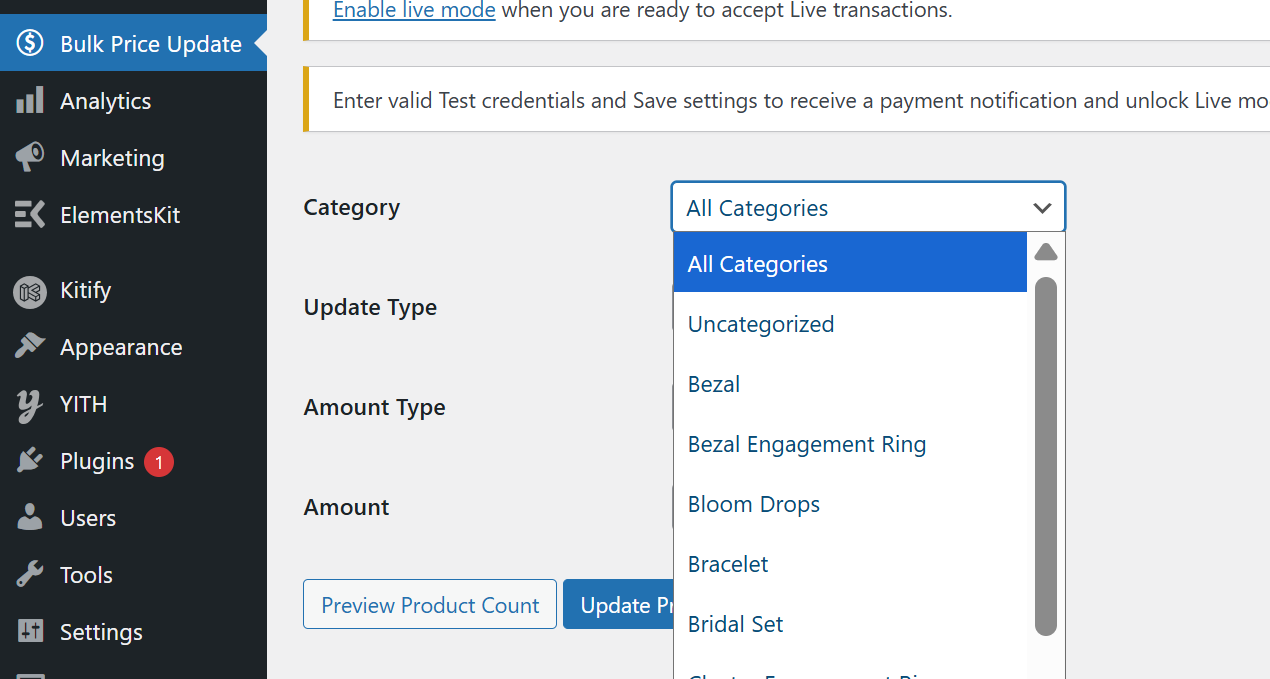
1. Select Product Category
Choose the category you want to update or select all products.
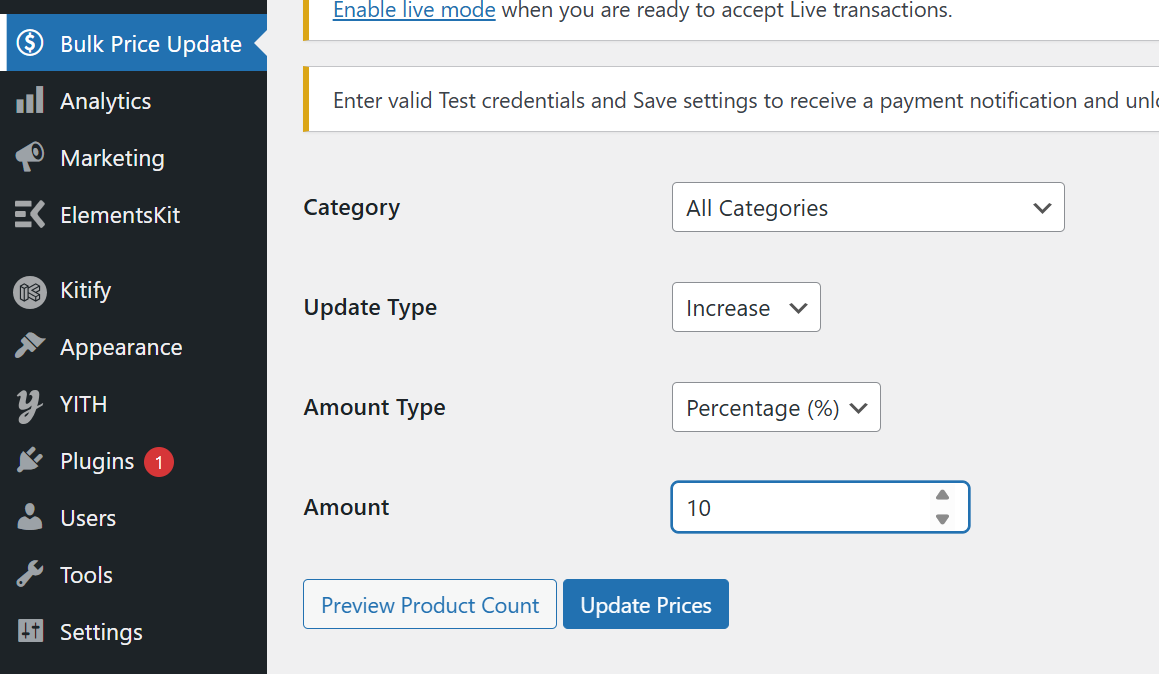
2. Choose Update Type
Decide whether to increase or decrease prices.
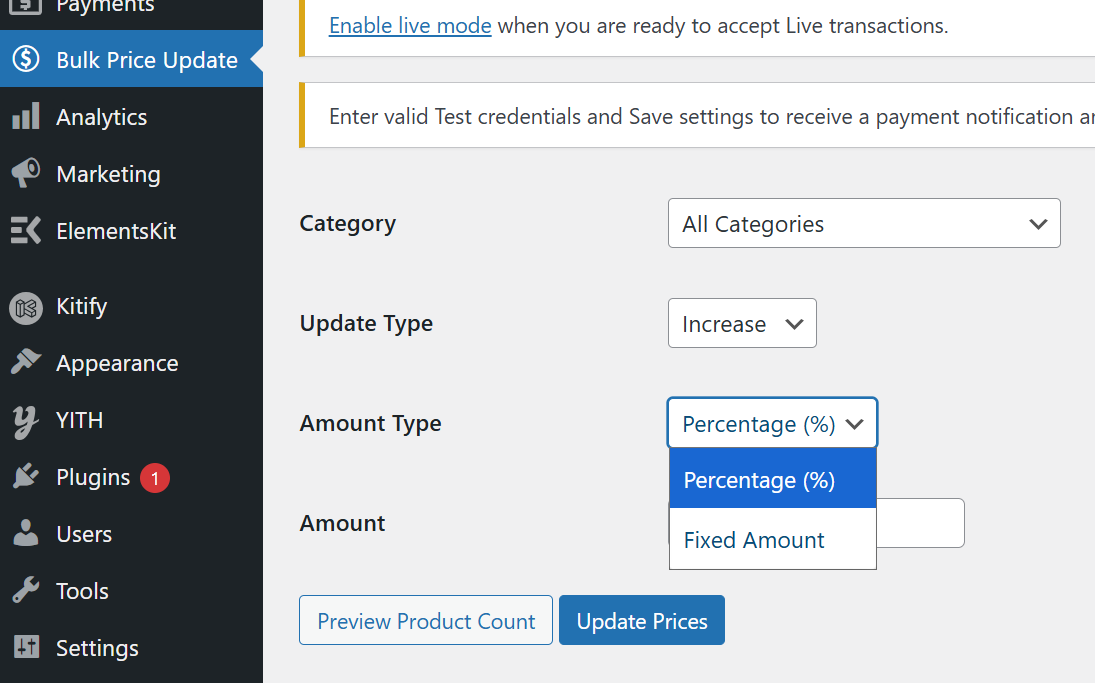
3. Select Amount Type
You can use percentage (%) or fixed amount.
4. Preview Products
Check how many products will be affected.
5. Apply Changes
Click update to apply changes instantly.
🔹 Benefits of Using Bulk Update
- Saves time
- Reduces manual errors
- Easy to use
- Works for all product types
🔹 Final Thoughts
Bulk updating prices is essential for any growing WooCommerce store.
By using the right tools, you can manage pricing efficiently and focus on growing your business.