


WooCommerce Bulk Price Update Plugin Documentation
This documentation provides a complete step-by-step guide on how to install and use the WooCommerce Bulk Price Update Plugin. This plugin is designed to help WooCommerce store owners quickly update product prices in bulk without editing each product manually.
If you manage a large number of products, updating prices one by one can be time-consuming and inefficient. With this plugin, you can update prices by category, apply percentage-based changes, or set fixed price adjustments in just a few clicks.
This guide will help you understand how to install the plugin, configure it properly, and use all its features effectively.
Plugin Features
Bulk Price Update Functionality
The plugin allows store owners to update prices for multiple products at once without editing each product individually. This feature is especially useful for stores with large inventories where manual updates can take significant time.
Category-Based Price Management
You can select specific product categories and apply price changes only to those products. This helps in managing pricing strategies more efficiently, especially during category-specific sales or promotions.
Flexible Pricing Options
The plugin provides flexibility by allowing both percentage-based and fixed price updates. Whether you want to increase prices by 10% or decrease them by a fixed amount, the plugin makes it simple and quick.
Preview Before Applying Changes
Before updating prices, the plugin shows a preview of how many products will be affected. This ensures accuracy and helps avoid unintended changes.
Support for Simple and Variable Products
The plugin works with both simple and variable products, making it suitable for all types of WooCommerce stores.
Lightweight and Optimized Performance
The plugin is designed to be lightweight and fast. It does not affect website performance and can handle bulk operations smoothly.
User-Friendly Interface
The interface is clean and easy to understand, making it suitable for beginners as well as advanced users.
Safe and Secure Operations
All updates are processed securely without affecting product data integrity. The plugin follows WooCommerce standards for safe operations.
How to Install the Plugin
Installing the WooCommerce Bulk Price Update Plugin is simple and takes only a few minutes. Follow the steps below to get started.
Step 1: Download the Plugin
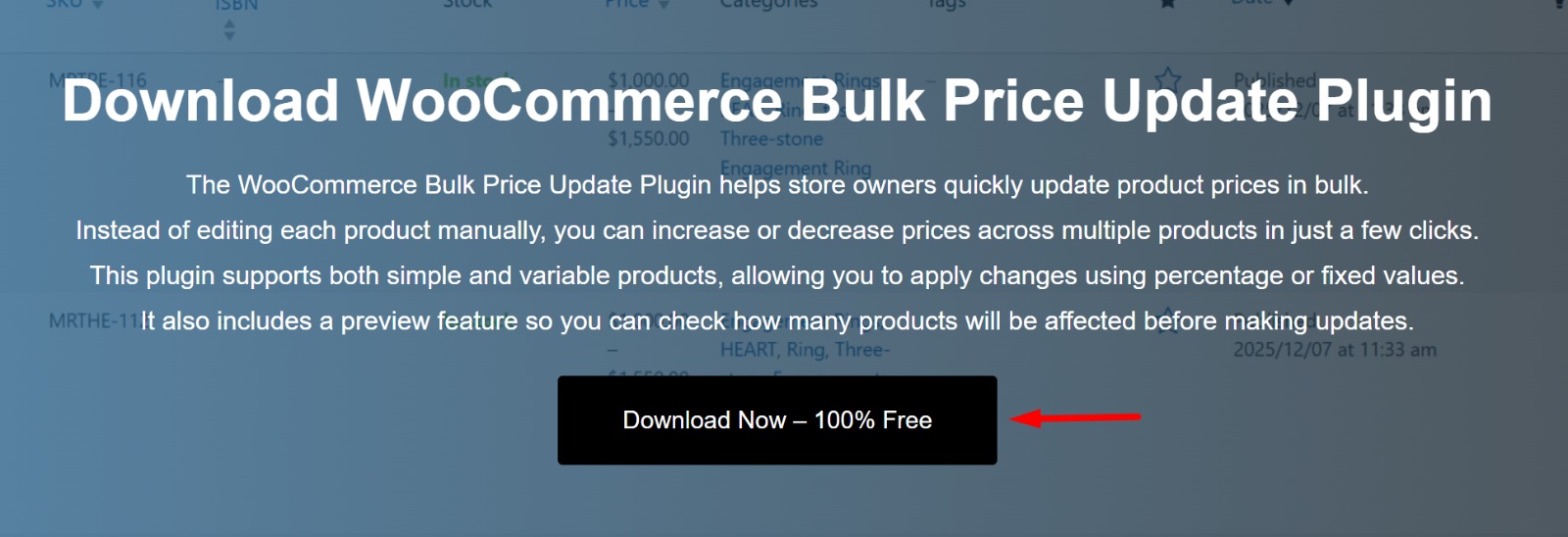
First, download the plugin ZIP file from the download page. Make sure the file is saved on your computer so you can upload it to your WordPress website.
Step 2: Upload to WordPress
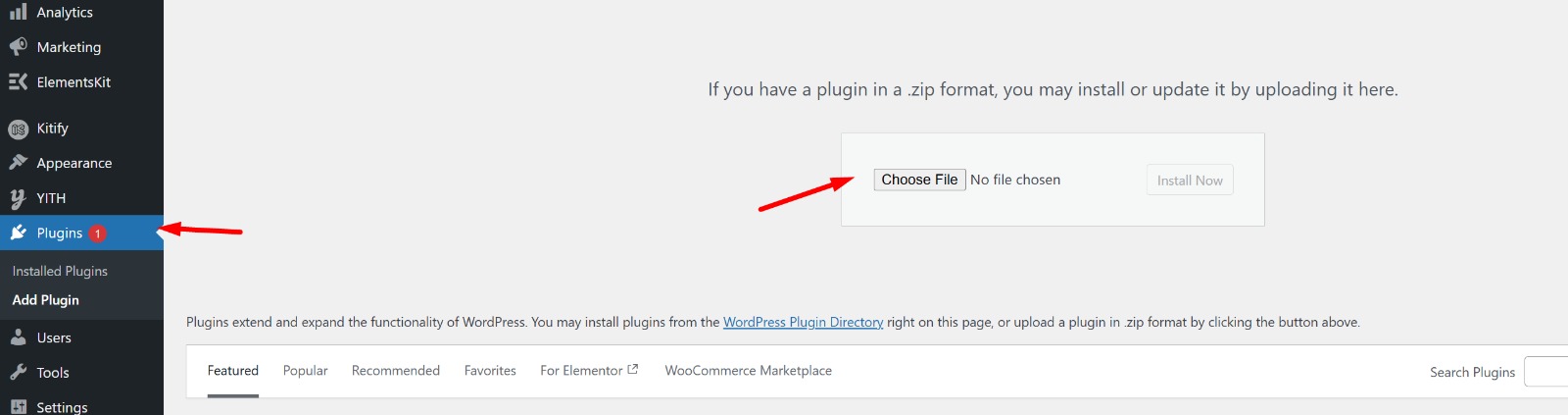
Go to your WordPress dashboard, navigate to Plugins > Add New, and click on the “Upload Plugin” button. Select the downloaded ZIP file and click “Install Now”.
Step 3: Install & Activate
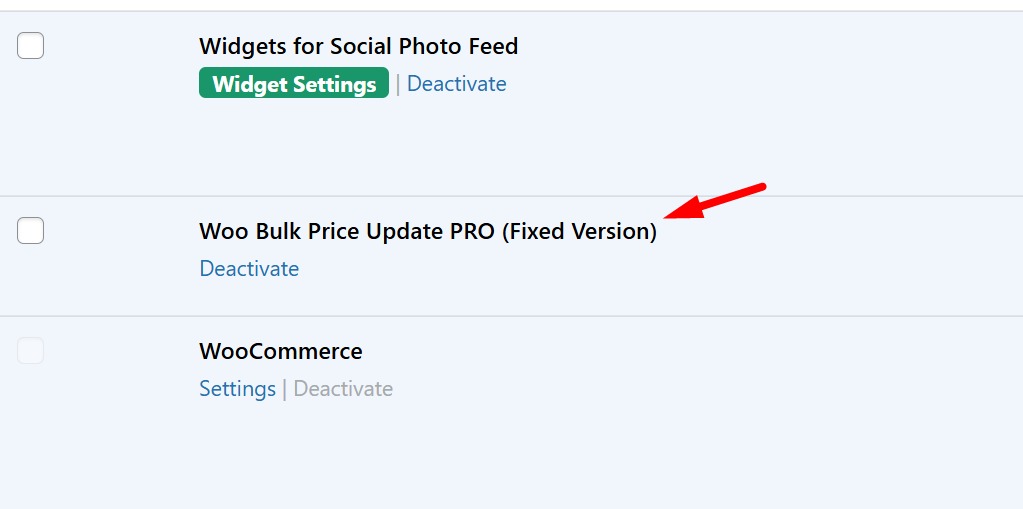
Once the plugin is uploaded, click on the “Activate” button to enable it. After activation, the plugin will be ready to use within your WooCommerce dashboard.
Step 4: Access the Plugin
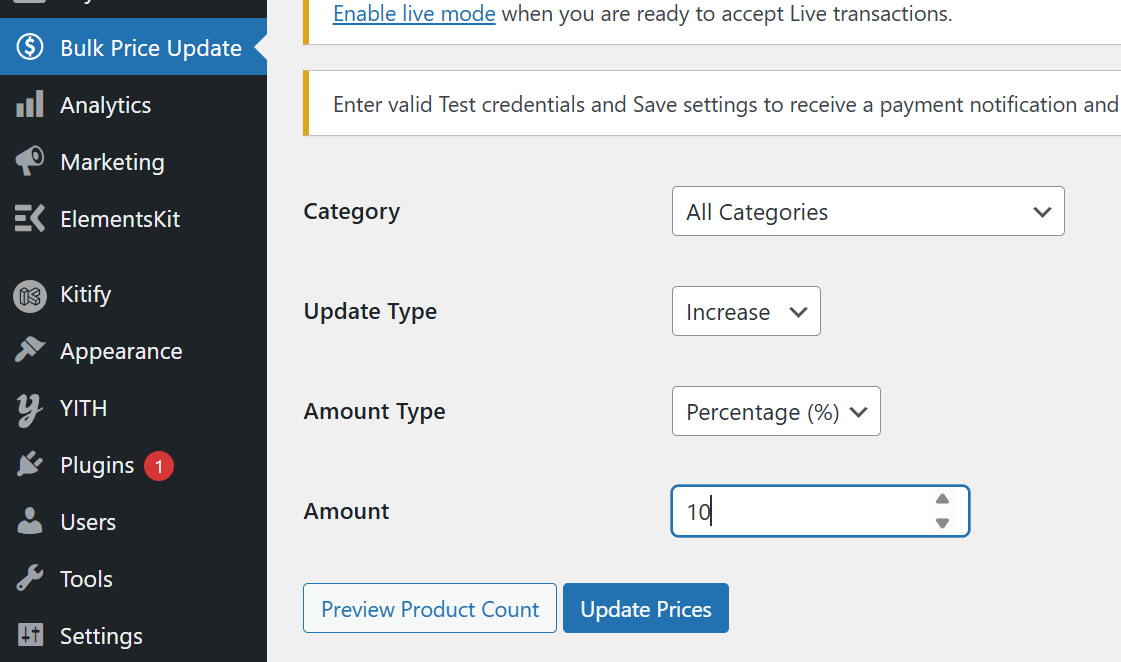
After activation, go to your WooCommerce settings or plugin menu where you will find the Bulk Price Update option. This is where you can start managing product price updates.
How to Use the WooCommerce Bulk Price Update Plugin
Using the plugin is very simple. Follow the steps below to update product prices in bulk efficiently.
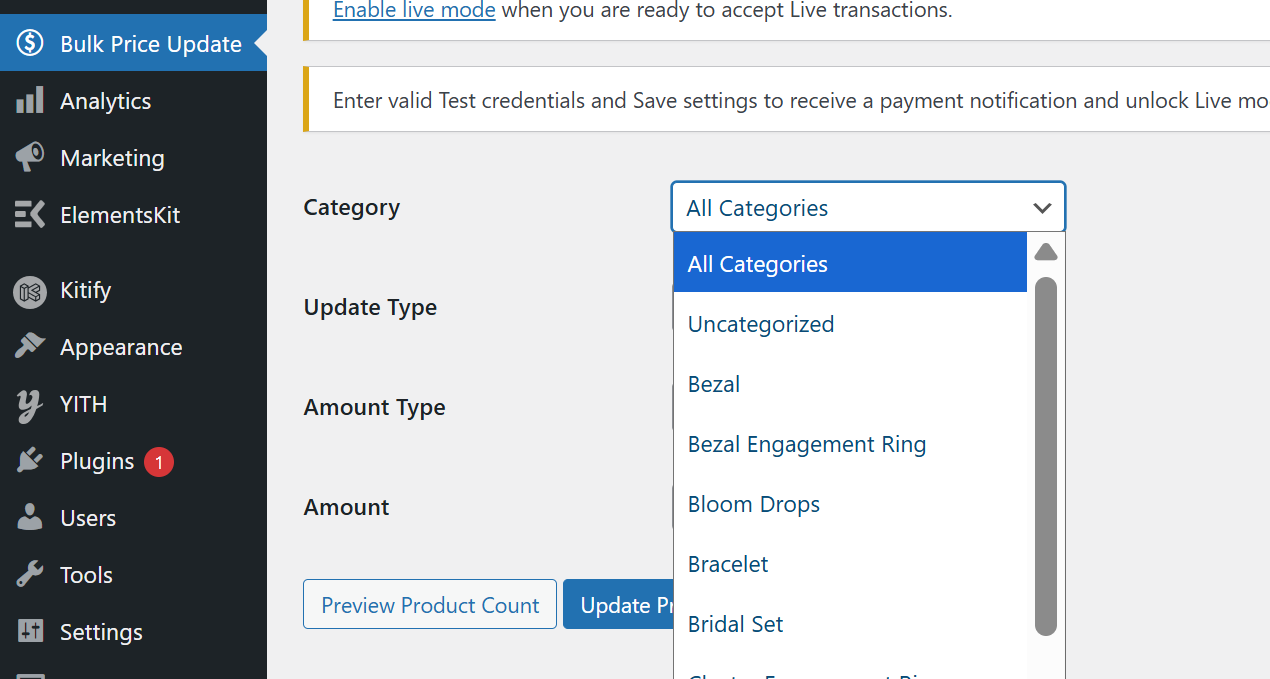
Step 1: Choose Product Category
Select the category of products for which you want to update prices. This allows you to apply changes only to specific products instead of the entire store.
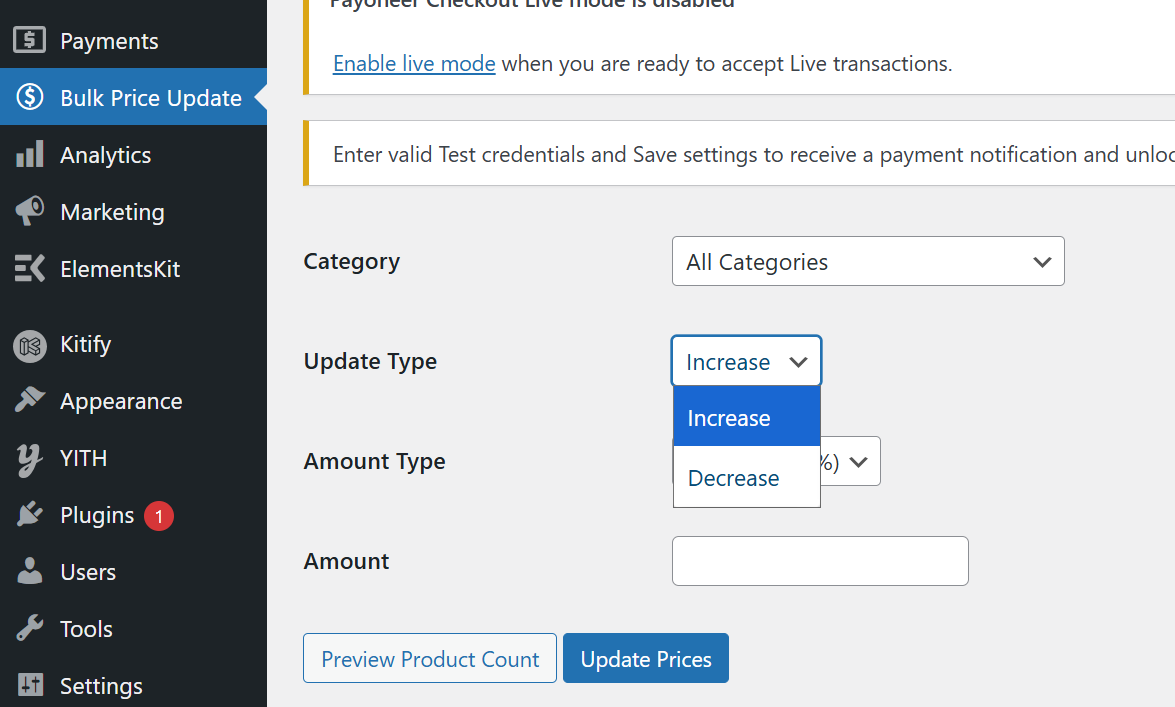
Step 2: Select Update Type
Choose how you want to update the prices. You can increase or decrease product prices depending on your requirements.
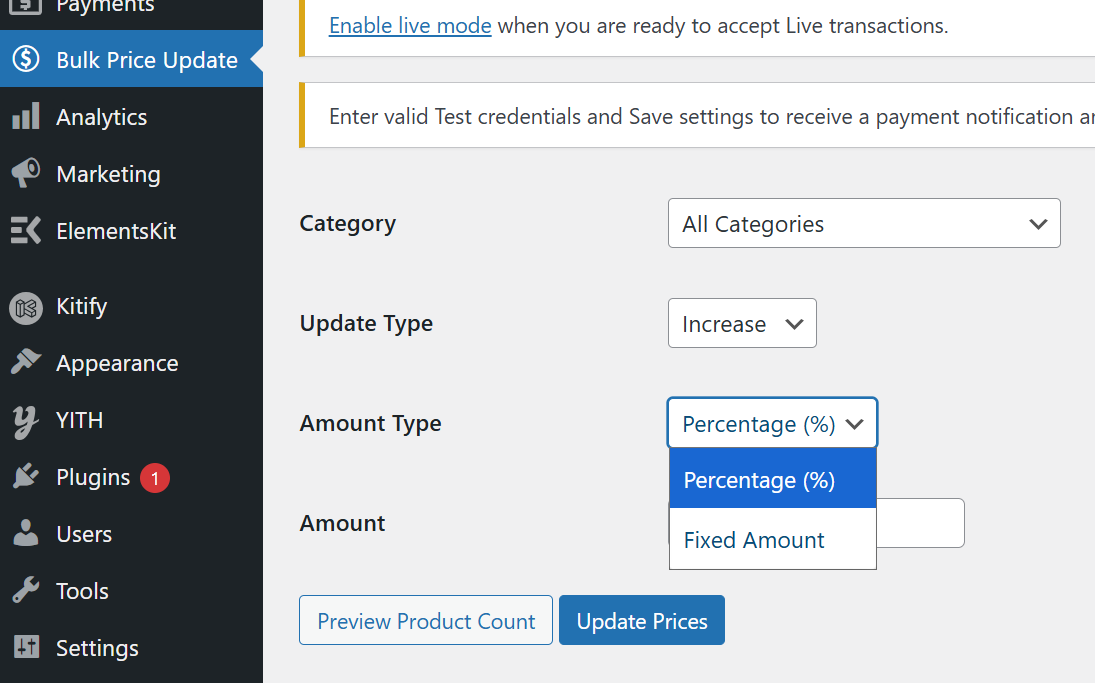
Step 3: Choose Amount Type
Select whether you want to update prices using a percentage or a fixed amount. This flexibility helps you run discounts or adjust pricing strategies easily.
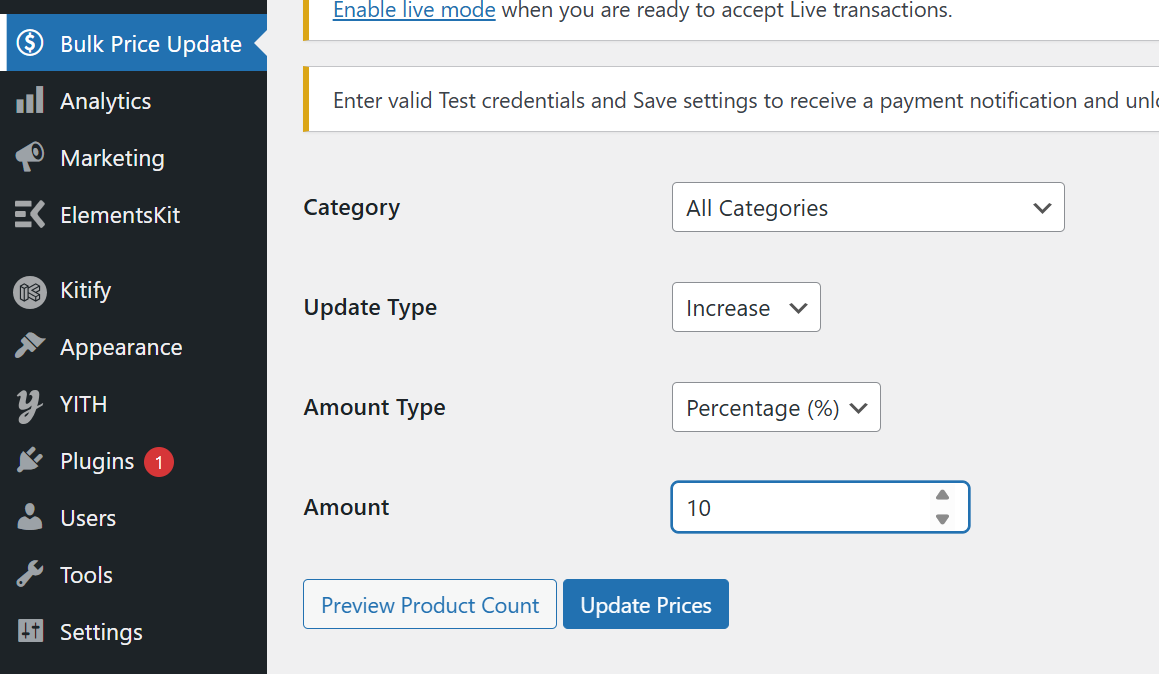
Step 4: Enter Amount
Enter the value by which you want to change the price. For example, you can increase prices by 10% or decrease them by a fixed amount like $5.
Step 5: Update Prices
Click on the update button to apply the changes. The plugin will instantly update all selected products, saving you time and effort.
Frequently Asked Questions
What is WooCommerce Bulk Price Update Plugin?
It is a plugin that allows store owners to update product prices in bulk using category, percentage, or fixed values.
Is this plugin free?
Yes, this plugin is completely free to download and use.
Is it safe to use on live websites?
Yes, the plugin follows WooCommerce standards and updates prices safely
Yes, the plugin is lightweight, secure, and designed specifically for WooCommerce stores.
Does this plugin support percentage-based updates?
Yes, you can increase or decrease prices using percentage values.