


Plugin Documentation – WooCommerce Bulk Price Update
The WooCommerce Bulk Price Update Plugin is designed to help store owners quickly update product prices in bulk.
With a simple interface, you can adjust prices by category, percentage, or fixed amount without editing each product manually.
This documentation will guide you through installation, usage, and common questions.
How to Install the Plugin
Category Wise Update
Update prices for specific product categories instantly.
Percentage / Fixed Price
Increase or decrease prices by percentage or fixed amount.
Preview Product Count
Check how many products will be affected before updating.
Variable Product Support
Works perfectly with variable and simple products.
Safe & Secure
No data loss. Works with WooCommerce standards.
Fast Performance
Bulk update thousands of products in seconds.
How to Install the Plugin
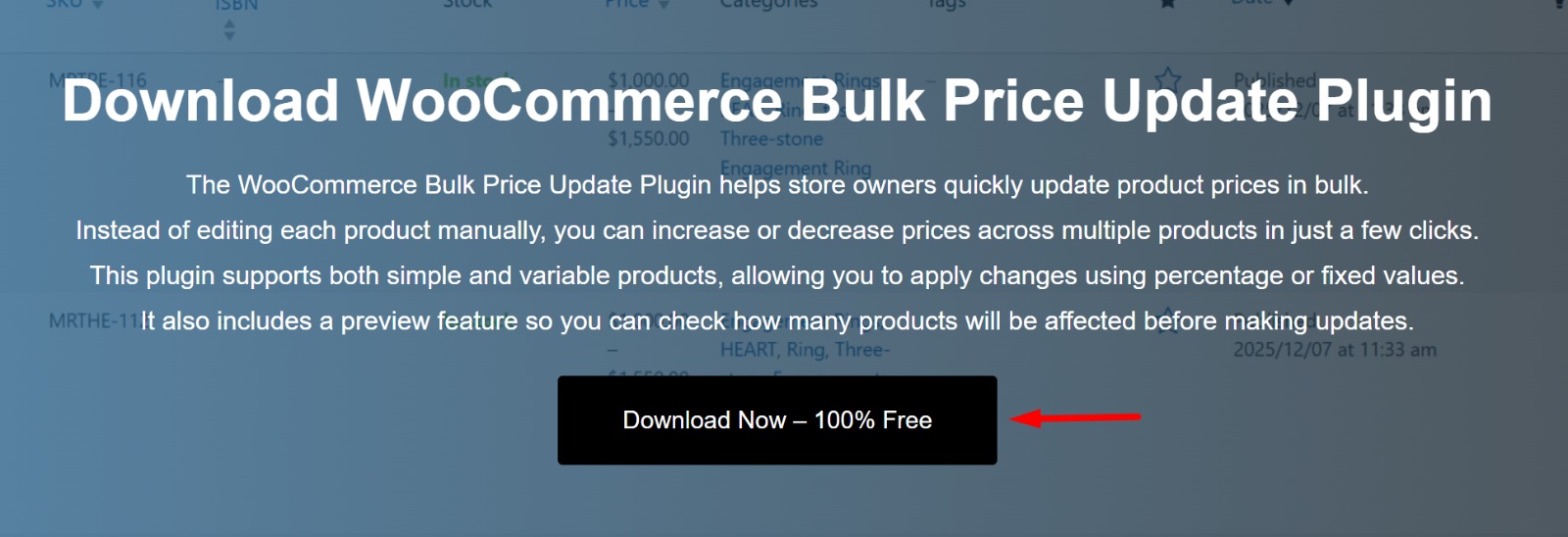
Step 1: Download the Plugin
Download the plugin ZIP file from the download page.
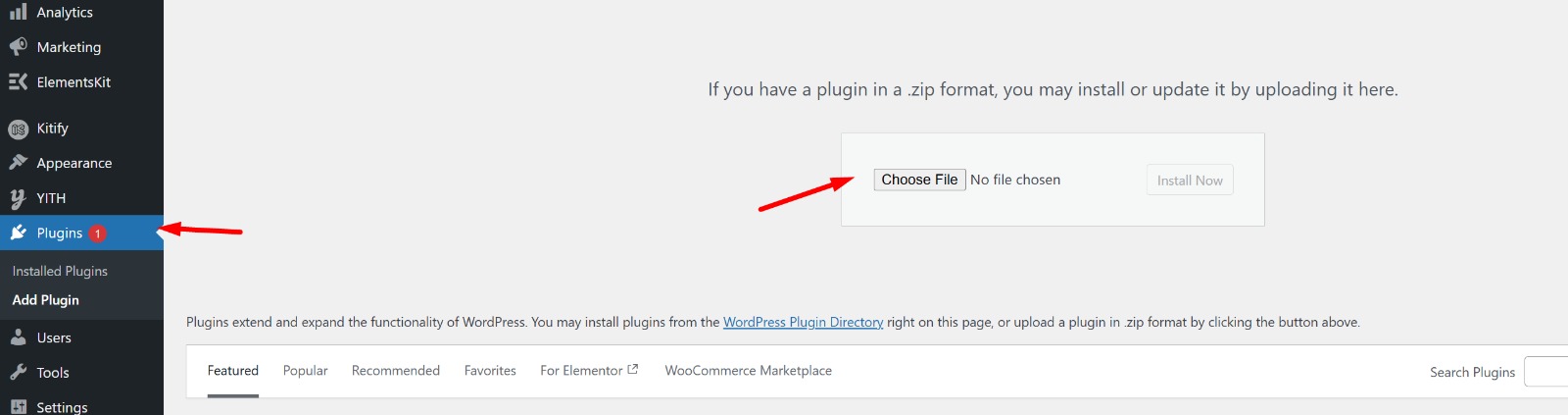
Step 2: Upload to WordPress
Go to your WordPress dashboard
Navigate to Plugins → Add New
Click on Upload Plugin
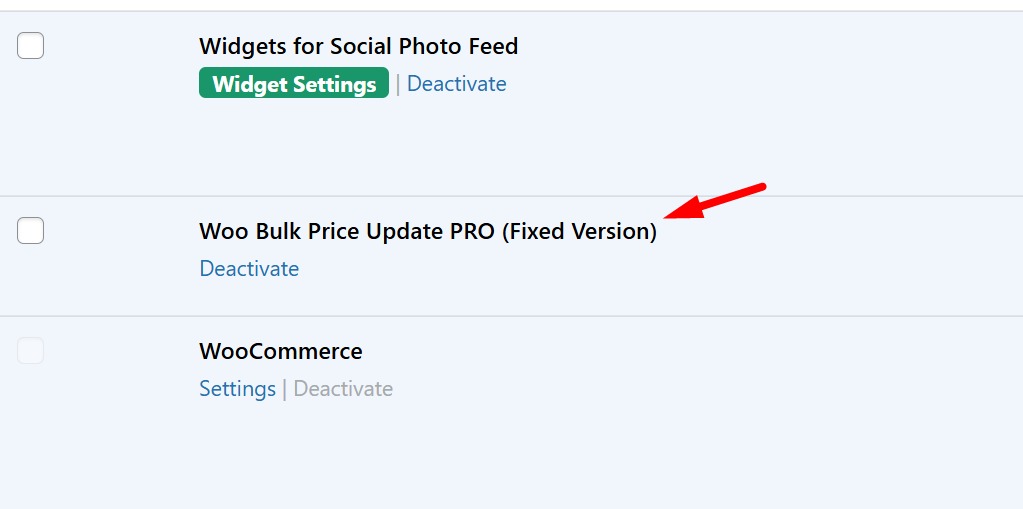
Step 3: Install & Activate
Upload the ZIP file
Click Install Now
After installation, click Activate
Step 4: Access the Plugin
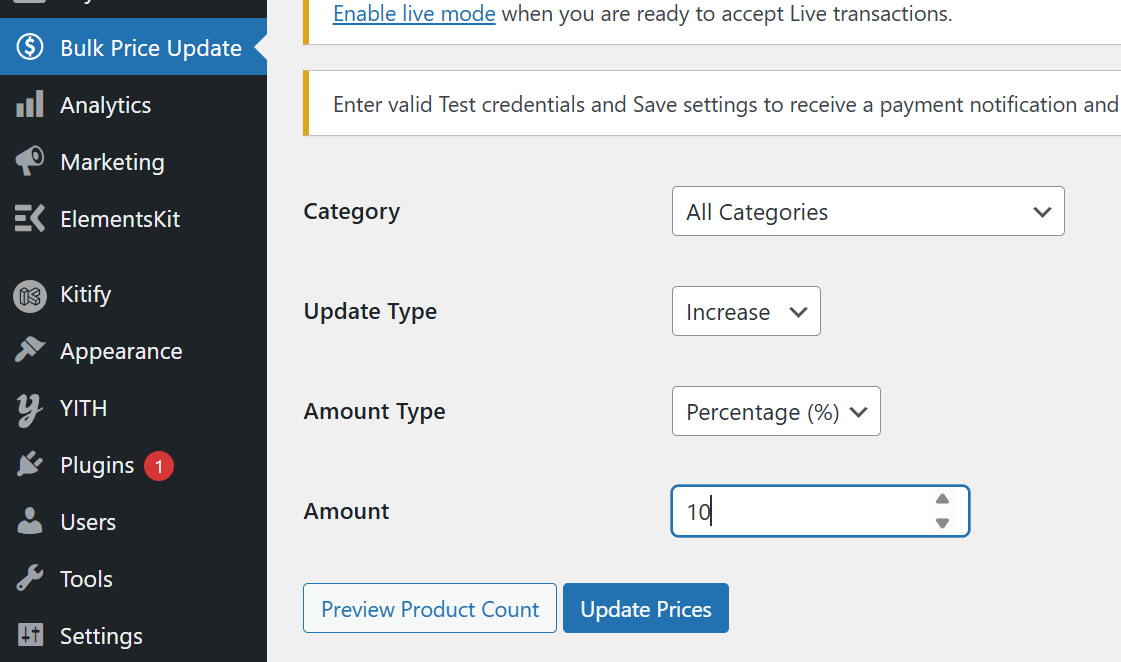
After activation, you will see a new menu item called Bulk Price Update in your admin panel.
How to Use the Plugin
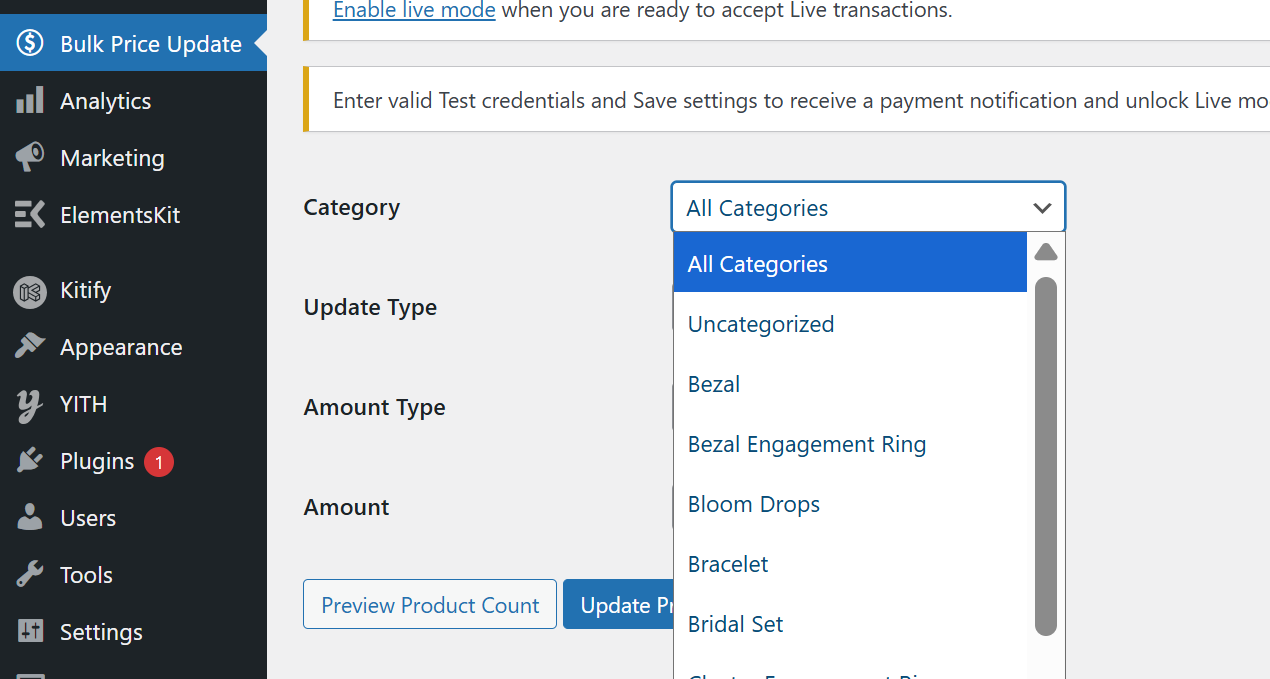
Step 1: Choose Product Category
Start by selecting a product category from the dropdown menu.
You can choose All Categories to update the entire store or select a specific category to apply targeted changes
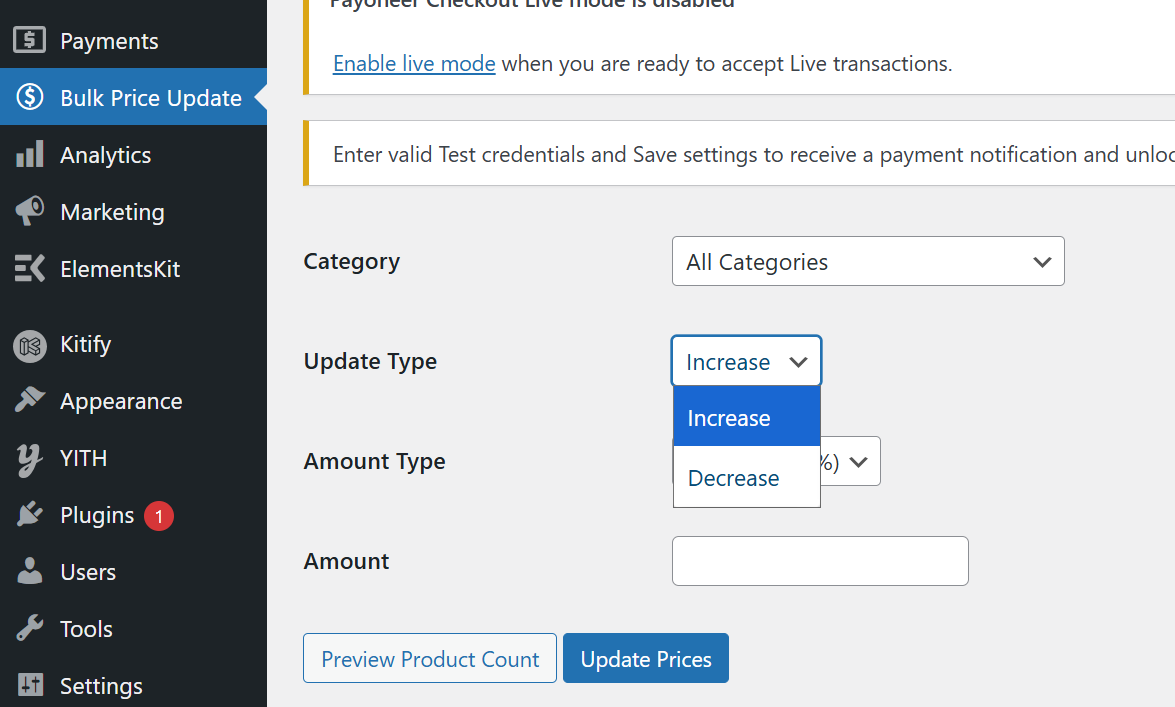
Step 2: Select Update Type
Choose how you want to modify prices.
You can either increase or decrease product prices depending on your requirement.
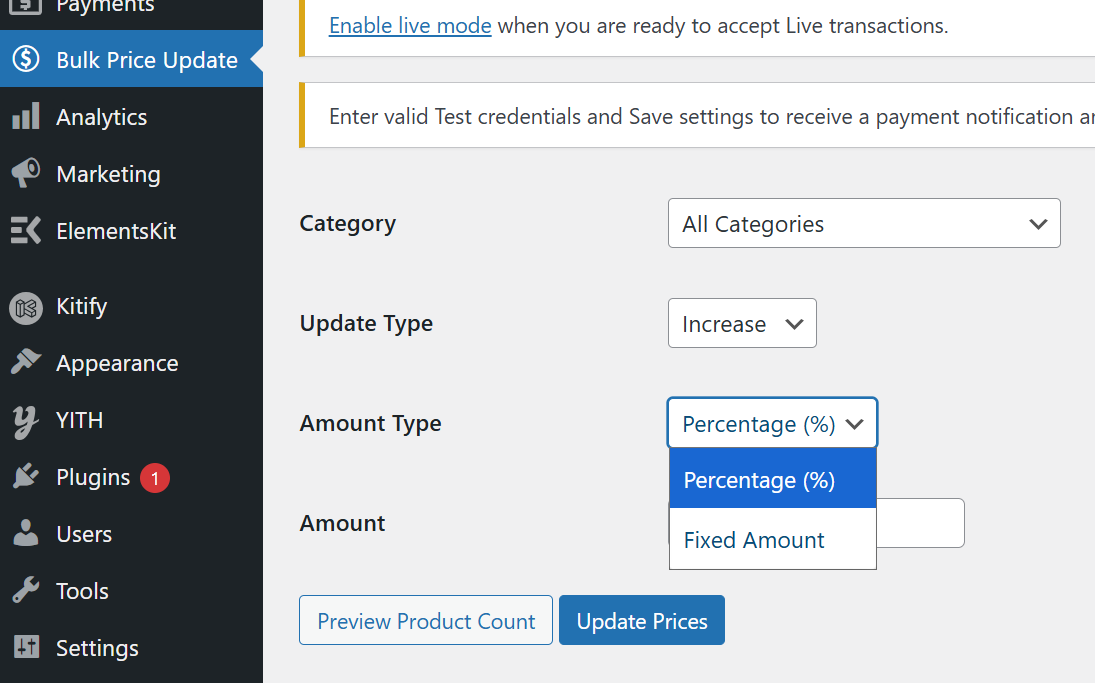
Step 3: Choose Amount Type
Select how the price change should be calculated.
You can apply changes using a percentage (%) or a fixed amount.
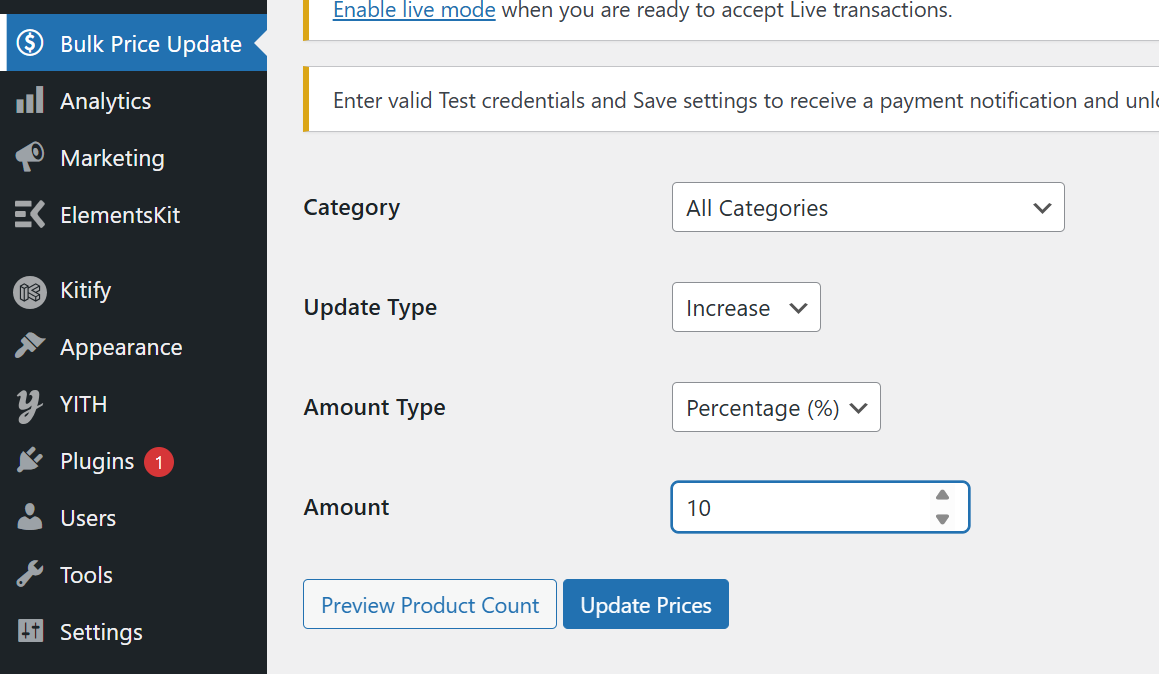
Step 4: Enter Amount
Enter the value you want to apply.
For example, enter 10 for a 10% increase or a fixed amount adjustment.
Step 5: Update Prices
Once everything is set, click Update Prices to apply changes instantly.
The plugin updates all selected products, including variations.
Frequently Asked Questions (FAQ)
Can I update all products at once?
Yes, select All Categories to update prices for all products.
Does this plugin support variable products?
Yes, the plugin automatically updates all variations of variable products.
Can I preview changes before updating?
Yes, use the Preview Product Count button to see how many products will be affected.
Will this affect sale prices?
Yes, both regular and sale prices are updated if available.
Can prices go below zero?
No, the plugin ensures that prices never go below zero.
Is it safe to use on live websites?
Yes, the plugin follows WooCommerce standards and updates prices safely
Do I need coding knowledge?
No, the plugin is designed for easy use without any technical skills.